Salesforce API Riproar Types Integration: A Complete Guide to Choosing, Connecting, and Scaling Your Integrations
 marcus james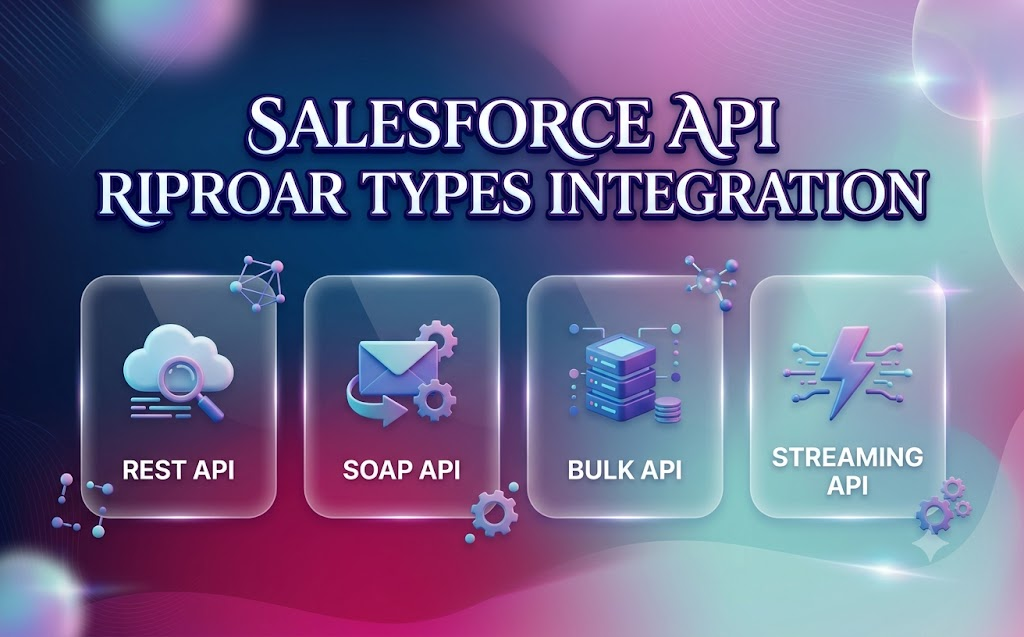
Salesforce sits at the center of most modern sales and service stacks, which means it rarely operates alone. Marketing platforms, billing systems, data warehouses, and custom apps all need to talk to it — and that conversation happens through an API. If you’ve landed here trying to understand salesforce api riproar types integration, you’re really asking one practical question: which API should I use, and how do I connect it without breaking things in production?
This guide walks through every major Salesforce API, how authentication actually works, what the rate limits look like, and how to decide between options instead of guessing. Unlike a lot of surface-level content out there, this one includes real decision criteria, a comparison table, and the production details — error handling, versioning, and licensing — that usually get skipped.
What Does “Salesforce API Integration” Actually Mean?
Before diving into salesforce api riproar types integration specifics, it helps to define the scope. Salesforce API integration is the process of connecting external systems to Salesforce so data and processes can flow in both directions — pulling records out, pushing updates in, or triggering workflows automatically.
There are two very different contexts where this comes up, and most guides only address one of them:
- Internal integrations — connecting Salesforce to tools your own team already uses. Examples: syncing leads into a marketing automation platform, pushing closed-won deals into a billing system, or keeping an HR system in sync with Salesforce user records. You control both sides of the connection.
- Customer-facing integrations — you’re building a product, and your customers want it to connect to their Salesforce org. Examples: pulling contact or deal data into your app, or writing activity data back into their CRM. You don’t control their org configuration, custom fields, or API version, which makes this meaningfully harder.
Knowing which bucket your project falls into changes almost every decision that follows — which API you pick, how you handle authentication, and how much error-handling you need to build in.
Why the API Type You Choose Matters
Picking the wrong API type is one of the most common mistakes in salesforce api riproar types integration projects. Teams often default to REST because it’s familiar, then hit rate limits or performance walls once data volume grows. The right choice depends on three factors:
- How much data you’re moving (a few records vs. hundreds of thousands)
- How fast you need the data (real-time vs. batch/overnight)
- What format the target system expects (JSON vs. XML vs. binary)
The Core Salesforce API Types
Salesforce offers more than seven distinct APIs, each built for a different job. Understanding this list is the foundation of any salesforce api riproar types integration strategy.
| API Type | Best For | Data Format | Typical Use Case |
|---|---|---|---|
| REST API | Lightweight, flexible calls | JSON, XML | Web and mobile app integrations |
| SOAP API | Structured, contract-based integration | XML | Legacy enterprise systems |
| Bulk API 2.0 | Large data volumes | CSV, JSON | Data migration, batch updates |
| Streaming API | Real-time push notifications | JSON | Live dashboards, instant alerts |
| Platform Events | Event-driven architecture | JSON | Decoupled system-to-system messaging |
| Change Data Capture (CDC) | Tracking record changes | JSON | Syncing changes to external databases |
| Metadata API | Managing org configuration | XML | Deployments, CI/CD pipelines |
| GraphQL API | Precise, nested data queries | JSON | Reducing over-fetching in modern apps |
| Connect API | Chatter, communities, files | JSON | Social and collaboration features |
REST API
REST is the default starting point for most salesforce api riproar types integration work. It uses standard HTTP methods (GET, POST, PATCH, DELETE), supports JSON natively, and is easy to test with tools like Postman. It’s ideal for:
- Simple CRUD operations on records
- Mobile and web app integrations
- Small-to-medium data volumes
The catch: REST has per-org and per-user rate limits, so it starts to strain once you’re processing tens of thousands of records in a short window.
SOAP API
SOAP is older, more rigid, and uses XML with a formal WSDL contract. It’s still common in enterprise environments where systems require strict typing and structured error responses. It’s synchronous, which means calls wait for a response — useful for transactional accuracy, less useful for high-throughput scenarios.
One detail most guides skip: Salesforce has confirmed that the legacy login() SOAP call will be retired in Summer ’27 across all API versions. If your integration still uses username-password SOAP login, that’s a migration you need on your roadmap now.
Bulk API 2.0
When data volume crosses roughly 10,000 records, REST API starts hitting rate limits fast. Bulk API 2.0 is purpose-built for this — it processes data asynchronously in batches, making it the right tool for:
- Data migrations
- Nightly syncs
- Large-scale record updates or deletes
Bulk API 2.0 replaced the older Bulk API 1.0 by simplifying batch management — you submit a job, Salesforce chunks it automatically, and you poll for status instead of managing batches manually.
Streaming API
Streaming API pushes real-time notifications to subscribed clients whenever data changes. In salesforce api riproar types integration scenarios involving live dashboards, fraud alerts, or instant customer notifications, this is the tool of choice. It uses a publish-subscribe model over Bayeux/CometD protocol.
Platform Events and Change Data Capture
These two get confused constantly, so here’s the distinction:
- Platform Events are custom, developer-defined messages — you decide what triggers them and what data they carry. Good for decoupled, event-driven architecture between Salesforce and external systems.
- Change Data Capture (CDC) automatically tracks changes to standard or custom objects (create, update, delete, undelete) and publishes them without custom event definitions. Good for keeping an external data warehouse or database in sync.
Metadata API
Metadata API doesn’t move business data — it manages configuration. It’s how CI/CD pipelines deploy changes (fields, workflows, page layouts) between sandboxes and production environments. Anyone doing DevOps-style Salesforce development will use this constantly.
GraphQL API and Connect API
Two newer additions that are often left out of salesforce api riproar types integration comparisons entirely:
- GraphQL API lets you request exactly the fields you need in a single nested query, cutting down on the over-fetching and multiple round-trips REST often requires.
- Connect API is built specifically for Chatter, Communities, and file-related features — useful if your integration touches collaboration or social features rather than core CRM data.
Authentication: The Part Everyone Underestimates
No salesforce api riproar types integration project works without solid authentication, and this is where most teams lose the most time. Salesforce uses OAuth 2.0 as its primary authentication framework, with several flows depending on your scenario:
- Web Server Flow — for server-side apps with a backend that can securely store a client secret
- JWT Bearer Flow — for server-to-server integrations with no user interaction (common for internal automation)
- Client Credentials Flow — for machine-to-machine integrations tied to a specific connected app
- Username-Password Flow — legacy, generally discouraged for new builds due to security exposure
Getting OAuth scopes and connected app settings wrong is the single most common first-time integration failure. Test in a sandbox before touching production credentials, and store secrets in a proper vault — not in code or config files. roarleveraging business infoguide by riproar
Security Considerations Beyond OAuth
Authentication is only part of the picture. A production-grade salesforce api riproar types integration setup should also account for:
- IP allowlisting on connected apps
- Named Credentials to avoid hardcoding tokens
- Permission sets scoped to exactly what the integration needs (never full admin access)
- Shield Platform Encryption if sensitive data is in transit or at rest
Rate Limits: The Numbers That Actually Matter
Every Salesforce edition has different API call limits, and hitting them mid-project is a common and avoidable failure. Below is a general framework — always confirm exact numbers against your specific org and edition, since Salesforce updates these periodically.
| Edition | Typical Daily API Call Allocation | Notes |
|---|---|---|
| Developer Edition | Limited (low thousands) | Fine for testing, not production |
| Enterprise Edition | Tens of thousands per license | Scales with number of user licenses |
| Unlimited Edition | Higher allocation | Best for high-volume integrations |
| Performance Edition | Similar to Unlimited | Enterprise-grade support included |
Bulk API jobs count differently than REST calls, and Streaming API/Platform Events subscriptions have their own concurrent-connection limits. Always check the current limits in Setup before finalizing your architecture.
Internal vs. Customer-Facing Integration: Why the Difference Matters
This is the piece most salesforce api riproar types integration guides skip entirely. If you’re building a SaaS product that connects to customers’ Salesforce orgs, you’re dealing with:
- Schema normalization — every customer may have different custom fields, so your integration needs a flexible mapping layer instead of hardcoded field names
- Per-org authentication — you’ll manage OAuth tokens for many separate orgs, not just one
- Version drift — customers may be on different API versions, and you can’t force an upgrade
- Support burden — when something breaks, you often can’t see the customer’s org configuration directly
If your project is internal-only, you skip most of this complexity — you control both ends, so schema and versioning are consistent.
Error Handling and Production Resilience
A functioning integration in a sandbox and a resilient one in production are two different things. Build in:
- Retries with exponential backoff for transient failures (especially in Bulk API jobs)
- Idempotency checks so re-processing the same record doesn’t create duplicates
- Logging and alerting on failed API calls, not just successes
- Governor limit monitoring so you get warned before hitting daily caps, not after
Choosing the Right API: A Quick Decision Guide
Here’s a simplified way to think through salesforce api riproar types integration decisions without overengineering:
- Are you moving fewer than a few thousand records at a time? Use REST API.
- Are you migrating or updating tens of thousands of records? Use Bulk API 2.0.
- Do you need instant updates the moment something changes? Use Streaming API or Platform Events.
- Do you need to track every change to standard/custom objects automatically? Use Change Data Capture.
- Are you deploying configuration, not data? Use Metadata API.
- Do you need precise, nested queries with minimal over-fetching? Consider GraphQL API.
- Working with Chatter, files, or community features? Use Connect API.
Frequently Asked Questions
What is the best Salesforce API for beginners?
REST API is the easiest starting point because it uses standard HTTP methods, supports JSON, and has extensive documentation and community examples.
When should I switch from REST API to Bulk API?
Once you’re consistently processing more than around 10,000 records per operation, Bulk API 2.0 avoids the rate-limit issues REST API runs into at that scale.
What’s the difference between Streaming API and Platform Events?
Streaming API pushes generic data-change notifications, while Platform Events let you define custom event structures for specific business logic.
Is SOAP API still relevant in 2026?
Yes, particularly in legacy enterprise environments, though Salesforce is retiring the older login() method in Summer ’27, so migration planning is necessary.
How do I avoid hitting Salesforce API rate limits?
Monitor your daily API usage in Setup, batch large operations through Bulk API, and use Streaming API or Platform Events instead of frequent polling.
What’s the safest OAuth flow for server-to-server integration?
JWT Bearer Flow is generally preferred for server-to-server integrations since it doesn’t require storing a client secret or user credentials directly.
Final Thoughts
Salesforce api riproar types integration ultimately comes down to matching the right API to the right job, securing it properly, and planning for scale before you need it. REST covers most everyday needs, Bulk API 2.0 handles volume, Streaming API and Platform Events cover real-time and event-driven scenarios, and Metadata API keeps your configuration deployable. Add solid OAuth practices, realistic rate-limit planning, and proper error handling, and you’ll have an integration that holds up well beyond the initial build — whether you’re connecting internal tools or shipping a customer-facing product.